
SCAN DOCUMENTS

How to scan documents on Android

Take a photo of a document with your phone and save it as a PDF right away, no scanner and no online uploads.

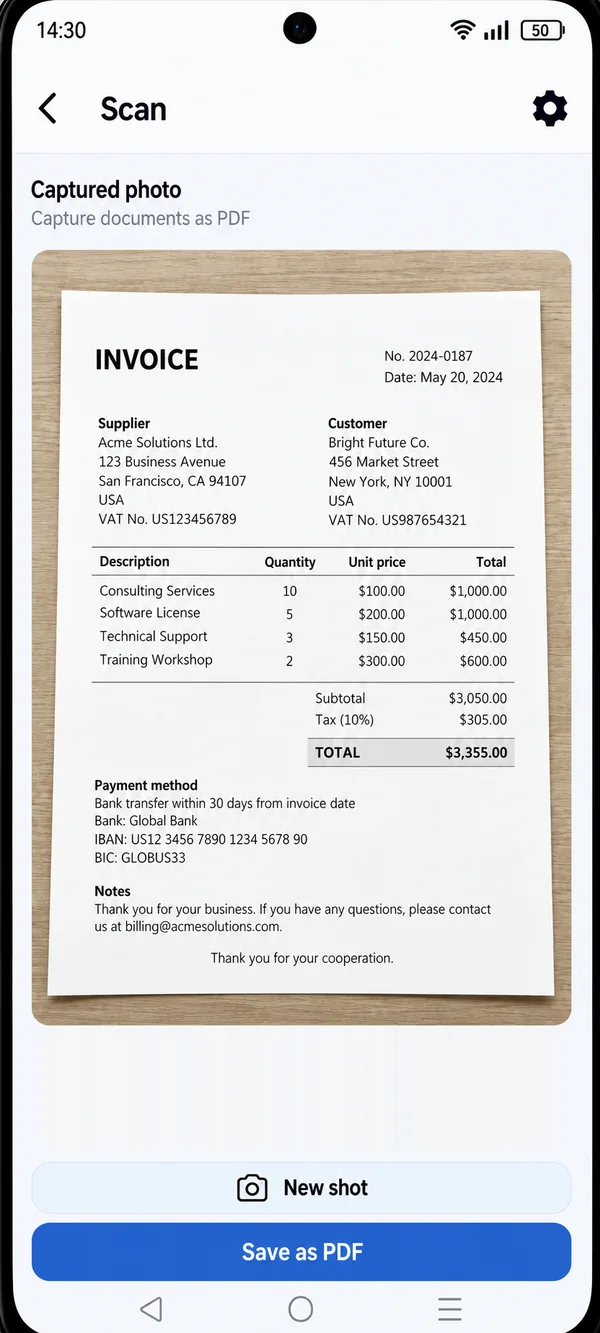
PDF HUB Scan screen with a photo of an invoice ready to save as PDF

You don’t need a scanner anymore: with PDF HUB your phone is all it takes to turn a sheet of paper into a PDF to keep or share.

WHAT YOU CAN SCAN

From paper to PDF, every day.

  • Invoices and receipts

    For expense reports, bookkeeping or your home files.

  • Contracts and forms

    Including hand-signed ones you need to send back.

  • Personal documents

    Certificates and papers to attach to an application.

  • Notes and sheets

    Handwritten notes, whiteboards, book pages.

The camera is only used to capture documents, and the photos stay on your phone. Read the privacy policy

HOW IT WORKS

Scan in three steps.

  1. Open PDF HUB

    Launch the app on your phone and choose “Scan”: no sign-up needed.

  2. Take a photo of the document

    Frame the page and shoot. If you’re not happy with the photo, tap “New shot”.

  3. Save as PDF

    Tap “Save as PDF”: the document is ready to file or send.

Preview of the captured photo with the New shot and Save as PDF buttons

Check before you save.

Right after the shot you see a preview of the document: if everything looks good, save it as a PDF, otherwise retake it in a moment.

  • Preview of the captured photo
  • Retake the photo if you’re not happy with it
  • Save straight to PDF

WHY PDF HUB

Simple, and private.

  • Works offline

    Keep working even without an internet connection.

  • No account needed

    Open the app and start right away, no sign-up.

  • Files stay on your device

    Documents are processed on your phone, with no mandatory uploads.

GET STARTED

Your scanner,
always in your pocket.

Get PDF HUB on Google Play.

Get PDF HUB on Google Play